
If Manageri v12 data file is corrupted you shoult repair it with 4D Server repair action. Repairing can be made with 4d Server Maintenance and security center -dialog.
First close the 4D server -program and take a backup copy of Manageri v12 data files (Manageri v12.4DD and Manageri v12.4DIndx).
Open 4D Server -program and open Maintenance and security center -dialog from Help menu
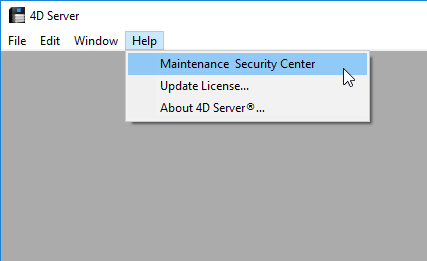
open Maintenance and security center
Open the Manageri v12 database
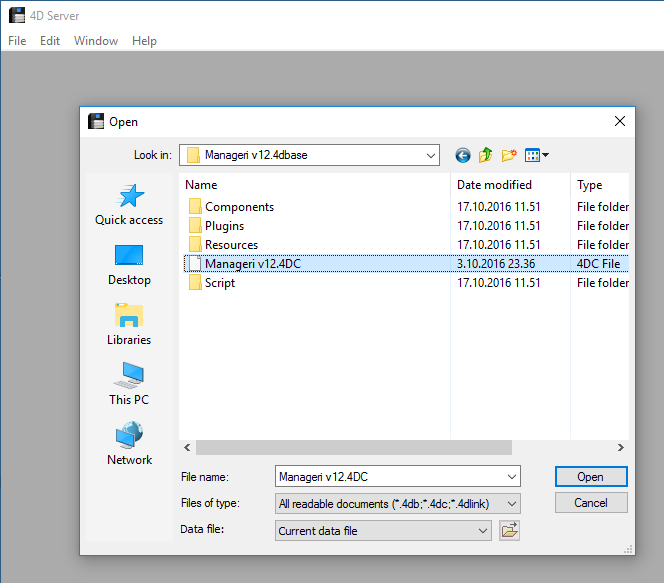
open Manageri v12 database
Run the repair action.
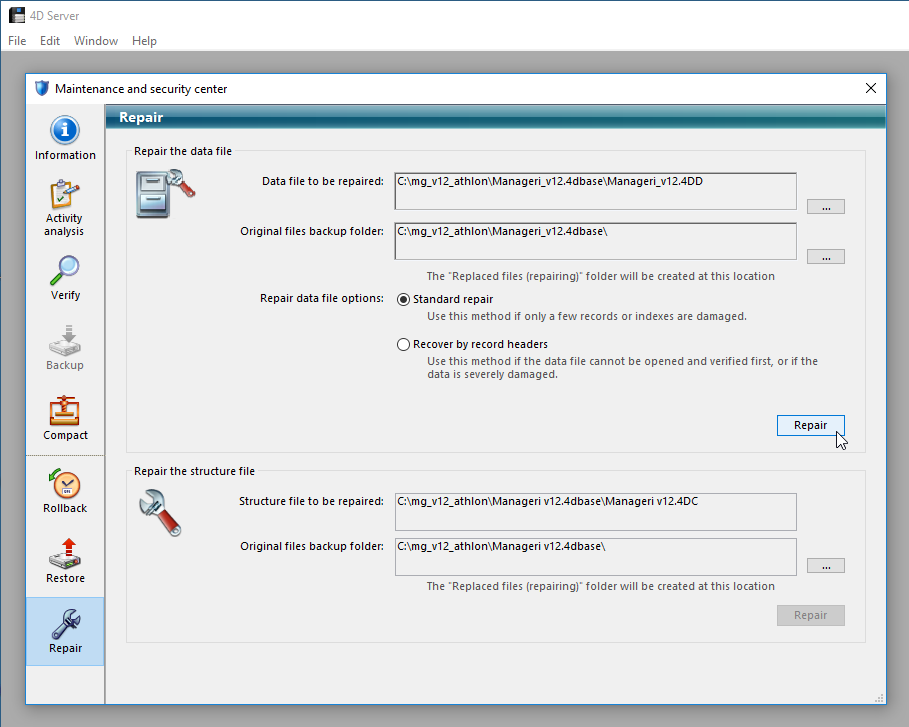
Run repair action
When the repairing is ready close the Maintenance and security center -dialog and open 4D Server normally.